Pamela Courter SQL Portfolio
Portfolio of my SQL projects
Bonus Report
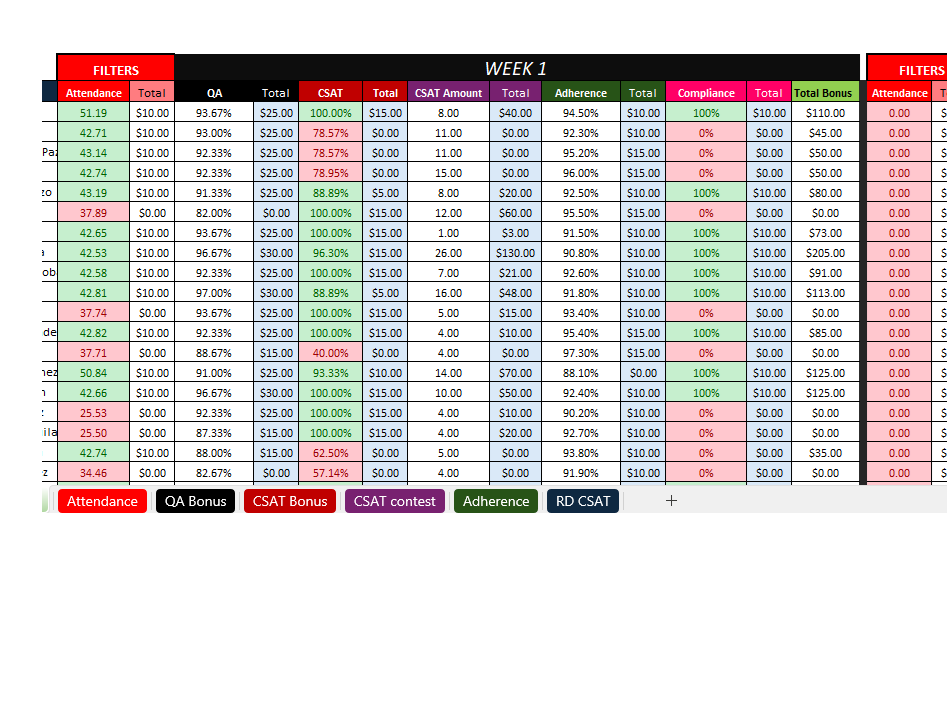
TASK - Replicate bonus report from Excel into SSRS to reduce processing time and manual errors
The WFM team has asked me to replicate this report that they have been creating by manually downloading and transforming data and copying into this excel spreadsheet where formulas complete the calculations. This task takes hours complete every week and even the smallest mis-alignment of data entry results in hard to detect errors.
 ———————————-
While we were not given access to these reports, the WFM team sent them to me in Excel via email. Using an inhouse process to collect the reports from email and import to the SQL server, I set up the process parameters and import/update stored procedures to transform the data as needed and upload to the sql server tables. From there I prepared SQL stored procedures to be used by SSRS reporting to generate a similar report.
SSRS generated report.
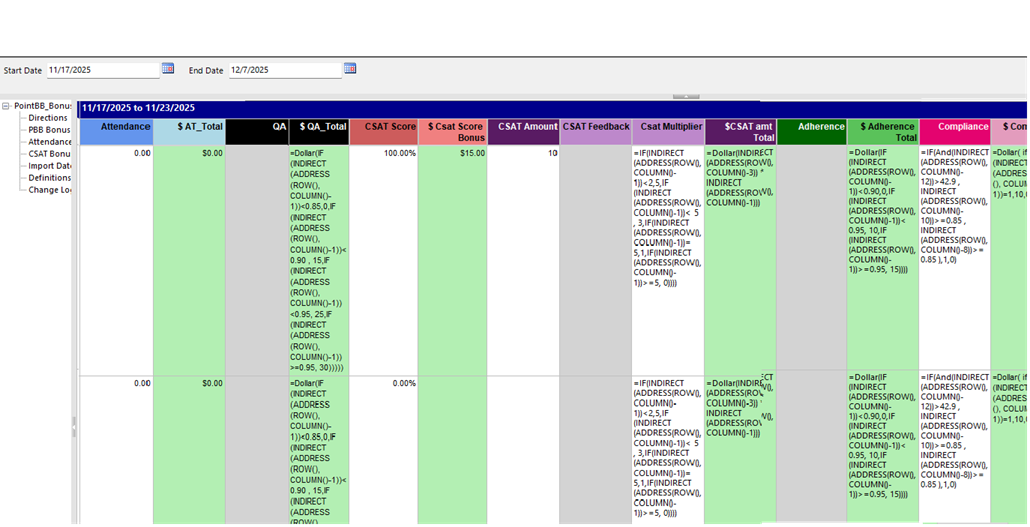 ———————————
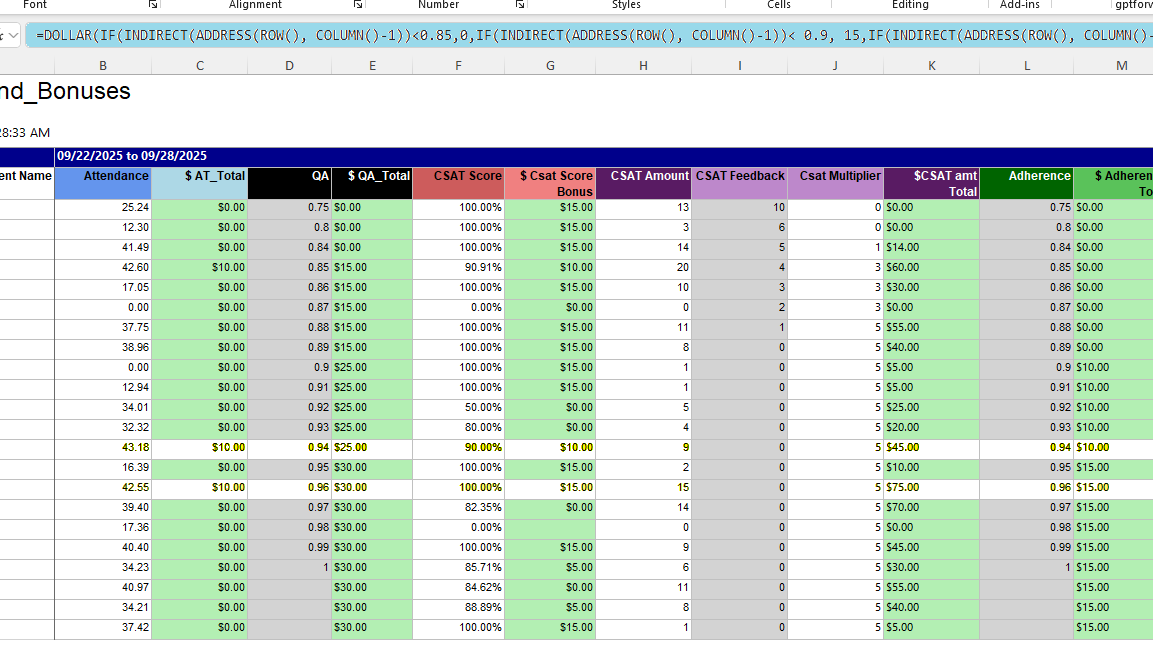
Problem- some of the data needed for the report was from manually tracked data that still needed pasted in after the report was ran, so I created formulas to incorporate the data they added manually into the final report calculations. The areas that needed data pasted in were also formatted light gray. Once the ssrs report was downloaded as an excel file and the data was added in, the formula was activated to incorporate those values. Some additional benefits to using ssrs included a single source file that could be downloaded again if mistakes were made as well as easily making changes to the calculations in one place rather than updating any individual copies.
Final resulting report with added in data
 ————————————-
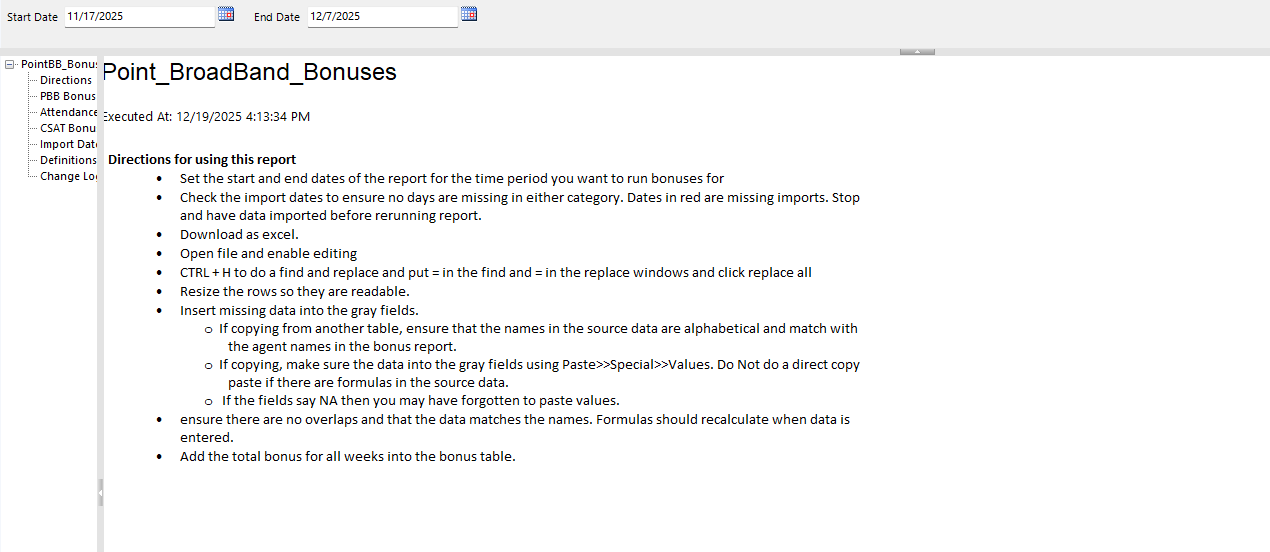
To further prevent errors and help future employees use the report, I included a directions sheet within the report.
 ——————————————————————————————————————————
####Data Load process:
——————————————————————————————————————————
####Data Load process:
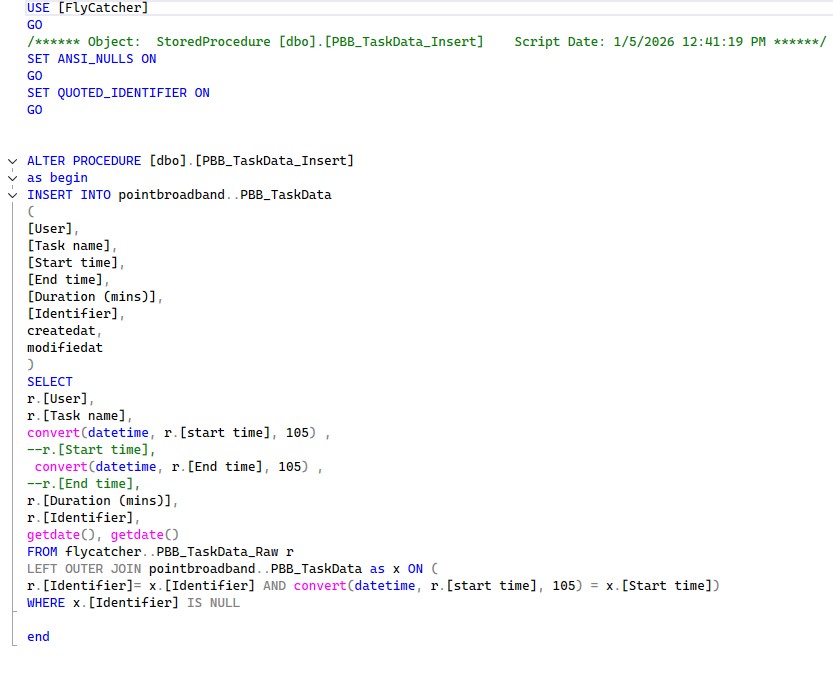
As part of the import process, I found that the dates were not coming across correctly on one file so I added a line in the import stored procedure to transform that date field into a proper date/time format.
 ———————————–
Download Stored Procedures SQL Stored procedure code for the bonus report and also data import code.